Road trip
Long drive, a few towns you've never dug in, and a car that plays your shelf. Here's the trip from the night before to the last shop.
Where should I stop?
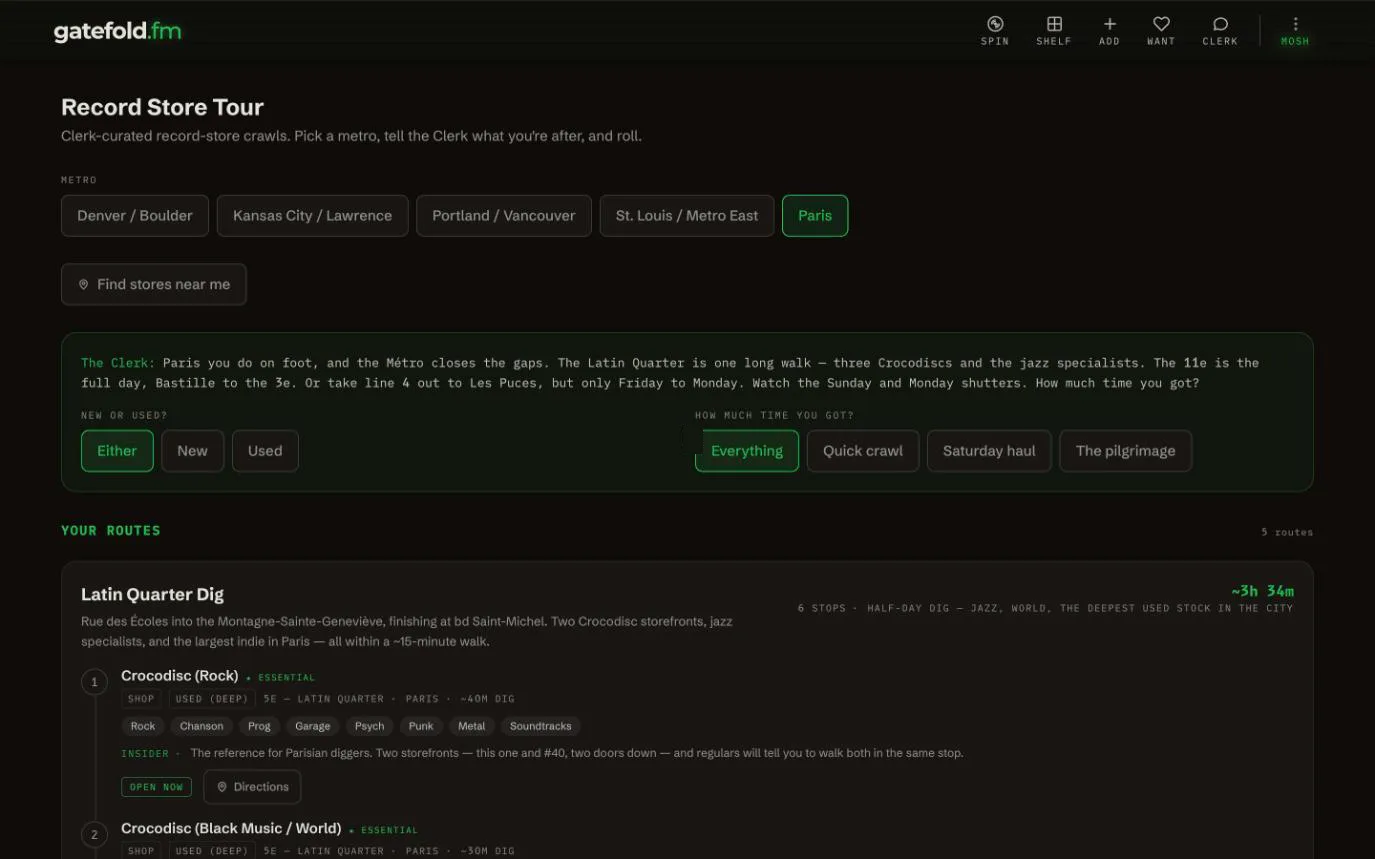
- Passing Kansas City, St. Louis, Denver, Portland or Paris? Kebab (3 dots) > Driving > Record Store Circuit plans a crawl: pick the city and how much time you've got, and it orders the stops and checks the hours.
- Anywhere else, Record Store Tour has Find stores near me.
- Detail: Record Store Mode.
What about the dead zones?
Before you leave, on Wi-Fi: Kebab (3 dots) > Settings > Offline Mode > Sync Now, and turn on Store all covers on this device. Your shelf, search and Want list then work with no bars, and a barcode scan still finds records you own. What works offline.
What plays in the car?
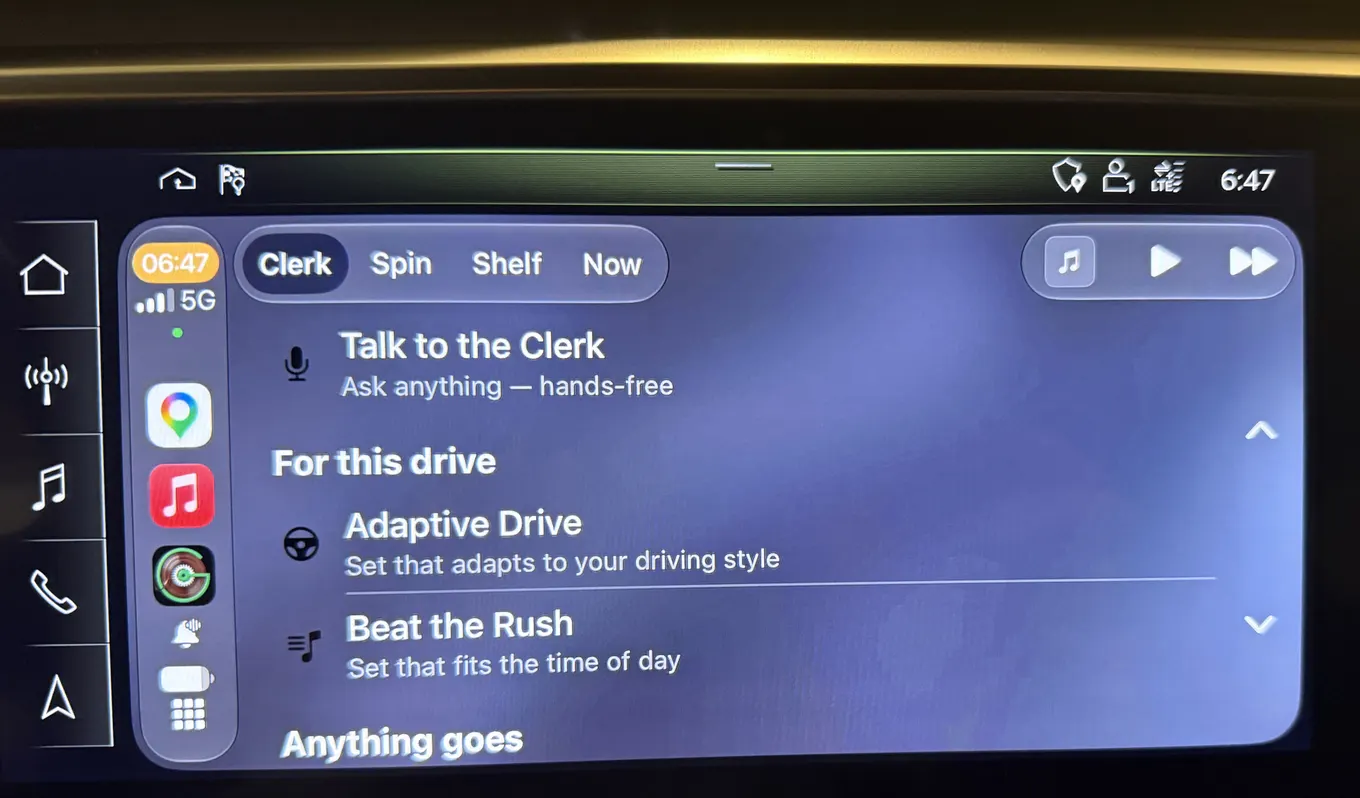
Your own radio station. The DJ plays from records you own, slips in the odd track off your Want list and tells you so, and between tracks he talks about who played on what. He warns you about wrecks, closures and slowdowns ahead, and severe weather. Tap Road Trip for the long haul; it's there at any hour. On iPhone it runs on the car's screen with CarPlay, and on any phone in Driving Mode. The whole story: In the car.
Anything for the long stretches?
Podcasts. Follow your shows on the Podcasts tab of your Shelf: paste a show's link or search for it, or bring your list over with Import OPML. Episodes play from the publisher's own feed, and an episode you stopped halfway shows Resume at where you left off.
How do I not buy a record twice?
Scan the barcode at every stop. A record you own says Yours, or Found on your shelf (offline) with no signal. No barcode? Snap the cover or type the catalog number or the deadwax. At the record store.
Headed to Denver? Who's playing while you're there?
Concerts follows the places you've saved, not wherever your phone happens to be. So before the trip, add the city:
- Kebab (3 dots) > Settings > Concert Alert Locations.
- Under Secondary, type the city (the box suggests "e.g. Denver") or a zip code, and tap Save. If more than one place matches, pick yours.
- Open Concerts. The Shows near switch now has All and a button for each city. Pick Denver to see only the shows there by artists you own or want.
Concert Alerts then cover both cities, and MOSH adds the presale heads-up. A second city is a MOSH feature; free accounts get one location. Remove it from the same panel when you're home.
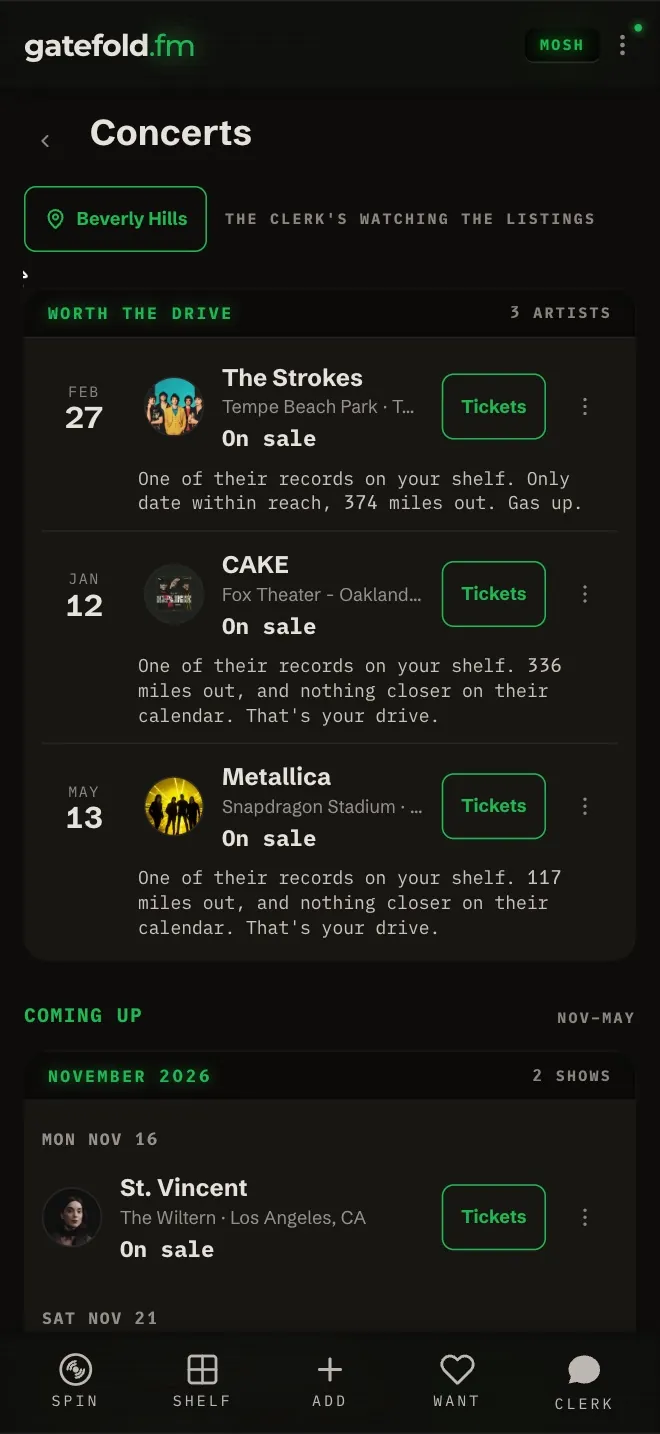
More on Concerts: Ticket sales, worth the drive, your live log.